Dark theme
WELCOME TO QQUANTUM

Let Qubi show you around.

Choose how you’d like to explore.

Don’t agreeGo to yourOS instead ↗

Both choices allow Google Analytics, so we can see which pages help.

Sound is your choice. Essential cookies keep the site working. Continuing either way also allows Google Analytics (visits and pages viewed).

Read our Terms, Privacy and Cookies.

Change your choices anytime from the footer.

Getting Qubi ready.
Service

Cross-Platform Workflows.

Break down data silos. We architect deep, resilient API integrations that allow data to flow seamlessly between your disparate SaaS platforms without human intervention.

All Intelligent Automation →
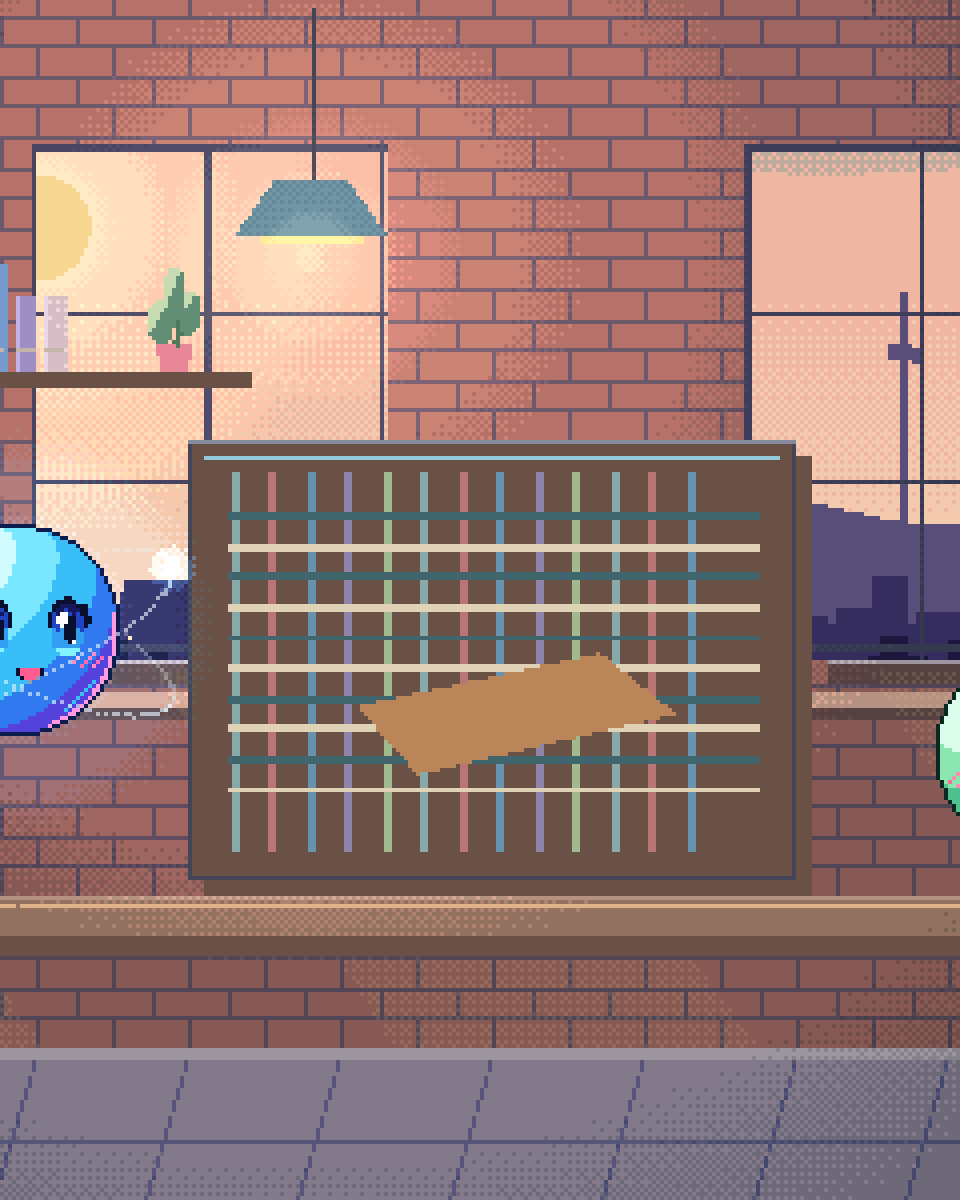
Pixel illustration for Cross-Platform Workflows: a loom weaving coloured threads between connected systems.

Integration architecture

01

Beyond Generic Connectors

Generic no-code connectors suit simple mappings. We write custom middleware where branching, rate-limit handling, error recovery or context make that insufficient.
02

CRM ↔ ERP Synchronization

When a deal closes in Salesforce, automatically generate the invoice in NetSuite, provision the software license, and notify the Customer Success team in Slack.
03

Automated Hand-offs

Smooth transitions between departments. Let AI translate sales notes into highly technical implementation tickets for engineering in Jira.
04

Webhook Orchestration

Real-time event listening lets your whole software stack respond to user actions in seconds rather than on a nightly batch.
ANALYSIS

How AI Orchestrates Workflows Across Disconnected Platforms

Enterprise software stacks are fragmented by design. Your CRM doesn't speak to your project management tool, your accounting platform can't read your helpdesk tickets, and your HR system exists in an entirely separate universe. Most organisations bridge these gaps with no-code connectors, which are good at what they are for — fixed, well-defined mappings between two systems — and struggle when payloads change shape, branching gets deep, or a step needs judgement. AI workflow automation demands a fundamentally different architecture: one engineered for resilience, intelligence, and sovereign control over your data flow.

Our cross-platform integration approach deploys custom middleware powered by large language models that understand context, not just data mappings. When a deal closes in Salesforce, a simple connector might push the deal amount to a spreadsheet. Our enterprise workflow orchestration engine reads the deal context — contract terms, line items, billing schedule, implementation requirements — and executes a cascade of intelligent actions across your entire stack. It generates the invoice in NetSuite with correct revenue recognition codes, creates a structured implementation project in Jira with templated epics and stories pre-assigned to the right engineering team, provisions the customer's SaaS licenses, and posts a contextual summary to the appropriate Slack channel — within seconds, with approval gates wherever you want one.

What separates our tool integration automation from conventional iPaaS solutions is adaptive error handling and API-less automation capabilities. APIs break. Endpoints change. Rate limits throttle. Legacy systems offer no API at all. Our orchestration layer handles all of this autonomously. When an API returns an unexpected payload, the AI interprets the error, applies corrective logic, and retries with adjusted parameters — or escalates intelligently to a human operator with a precise diagnosis of the failure. For platforms without APIs, and where the platform's terms of service permit it, we deploy browser automation agents that interact with web interfaces the way a person would, reading and entering data through the UI. This means even your legacy internal tools, custom-built admin panels, and SaaS platforms with locked-down integrations can be woven into a unified, automated workflow.

The result is an operational nervous system where data flows bidirectionally across Slack, Jira, Salesforce, HubSpot, Google Workspace, and any custom internal tool — without the fragility of point-to-point connectors. Every workflow is observable, logged and auditable. Failures either self-heal or escalate with a diagnosis — they do not vanish. Your team stops being the connective tissue between your software and starts focusing on the strategic work that actually moves your business forward.
HOW IT DEPLOYS
PHASE 01

Map the stack

We chart every platform, API, webhook and legacy tool in your ecosystem, identifying the data silos and manual hand-offs to eliminate.

PHASE 02

Build middleware

Custom LLM-powered orchestration is deployed with branching logic, rate-limit handling, adaptive error recovery and browser agents for API-less systems.

PHASE 03

Observe & harden

Every workflow runs observable, logged and auditable — failures self-heal or escalate with a precise diagnosis while coverage expands.

Questions

Questions about Cross-Platform Workflows.

What platforms can be connected?

Virtually any platform with an API — Salesforce, HubSpot, Jira, Slack, Google Workspace, Microsoft 365, NetSuite, Stripe, Shopify, and hundreds more. For platforms without APIs, we deploy browser automation agents that interact directly with web interfaces, enabling integration with legacy systems, custom admin panels, and locked-down SaaS tools.

How is this different from a no-code automation tool?

It solves a different problem. Tools like Zapier and Make are strong at declarative mappings between platforms and have branching, retries and error handling of their own; if your workflow fits that shape, use them — they are cheaper and faster to change. We build custom middleware where the input is unstructured, the branching is deep, a step needs judgement about context, or the workflow spans a platform with no usable API. Often the answer is both: the no-code tool where it fits, custom orchestration where it does not.

How do you handle API changes and breakages?

Our middleware layer includes adaptive error handling that detects unexpected API responses, interprets the nature of the change, and applies corrective logic automatically. If a payload structure shifts, the AI re-maps fields dynamically. If an endpoint is deprecated, the system routes through alternative endpoints or escalates with a precise diagnostic report for your team.

Can it work with custom internal tools?

Yes. For internal tools with REST or GraphQL APIs, we connect directly. For tools without programmatic access, we deploy headless browser agents that navigate the UI, extract data and perform actions the way an operator would — where the platform's terms of service permit it. That check is part of scoping, not an afterthought.

How long does it take to build a cross-platform workflow?

A first production workflow typically ships in two to four weeks: one week to map your stack and data flows, one to two weeks to build and test the middleware, and a final hardening pass with live traffic under observation. Additional workflows reuse the same orchestration layer, so each subsequent automation deploys faster.

Is the data flowing between platforms secure?

Yes. All data moves over encrypted connections using scoped OAuth tokens or API keys stored in a secrets vault, and retention is configured to your own data-protection policy. Every transaction is logged and auditable, and the middleware can run inside your own cloud environment for full data sovereignty.

Unify your
software stack.

Stop paying people to copy-paste data between applications. We build the connective tissue instead.

30-minute technical call · no deck

Shipped & in build

Real work. Check it yourself.

What we built, what stage it is at, and a link to the live thing wherever there is one.

The updated yourOS homepage: Roxy’s open ring surrounded by bento cards for calls, voice, translation, building, design, apps and more.
The yourOS homepage on a phone, with its compact navigation, welcome film button and bento cards.
youros.tech — the homepage bento hero
Our own · coming soon

yourOS

yourOS is an operating system with an AI at its heart. You talk to it like a person, out loud or typed. It makes your calls, plans your days and works on your projects with a crew of agents, on your own private server. Our own product, built from the first commit; the waitlist is open.

What we built
  • Operating system
  • Roxy
  • Agent crew
  • Voice calls
  • App store
  • Website
Meet yourOS →
The Sonora homepage on desktop: a full-bleed dune landscape behind the headline “Transform Your Life with Sound”, with App Store and Google Play download buttons.
The Sonora homepage on a mobile viewport, showing the same hero reflowed to a single column.
sonora.com — homepage, 1440×900
Live · iOS · Android

Sonora

Website, backend and app assets for Sonora, a free AI sound-therapy app on iOS and Android published by Cognitive AI.

What we built
  • Website
  • Backend
  • App assets
Read the case study →
The updated Podswap homepage on desktop: “Grow on Instagram and TikTok for free, with real engagement from creators your size”, beside a tilted wall of exchange, tool and guide cards on a violet gradient.
The updated Podswap homepage on a phone, with its floating navigation, Instagram and TikTok engagement headline and tilted tool cards.
podswap.app — homepage, 1440×900
Five platforms

Podswap

Brand, website, prototype, apps on five platforms, the AI backend and the algorithm-intelligence pipeline for Podswap, a social growth engine that runs without a human in the loop.

What we built
  • Brand
  • Website
  • Prototype
  • Apps on five platforms
  • AI backend
  • Algorithm pipeline
Read the case study →
The unOpen.AI homepage introducing Roxy, a private AI assistant that remembers who you are.
The unOpen.AI homepage on a mobile viewport.
unopen.ai — homepage, 1440×900
Prototype · closed beta

unOpen.AI

In closed beta: Roxy, a private AI assistant with permanent memory running on infrastructure the user owns. Brand, site, product, backend and conversational design.

What we built
  • Brand
  • Site
  • Product
  • Backend
  • Conversational design
Read the case study →
coherence.com on desktop, headed "Intelligence that moves in phase with people".
coherence.com on a mobile viewport, reflowed to a single column.
coherence.com — homepage, 1440×900
Live

Coherence

Live at coherence.com: brand identity generated with AI agents we directed, the motion system and website for the group behind Sonora, AboutAI, WakeUp and MudShadows. Agent work remains in build.

What we built
  • Brand identity
  • Motion system
  • Live website
  • Agent work — in build
Read the case study →
The new Domain Booth homepage on desktop: the headline “Premium Domains. Serious Buyers. Proven Results.” beside the animated DB monogram.
The new Domain Booth homepage on a phone, reflowed to a single column.
Our build of the Domain Booth homepage — 1440×900
Live

Domain Booth

Live at domainbooth.com for DomainBooth, a premium domain brokerage: a new animated mark, every page redesigned and rebuilt with designed mobile layouts, and a custom CMS for its sales record, featured names, press and enquiries.

What we built
  • Animated mark
  • Every page redesigned
  • Designed mobile layouts
  • Custom CMS
Read the case study →
Who we have built for

Twenty-one years. Names you know.

Apps, platforms and campaigns for these teams, long before the AI work. Every one is written up on the work page — what we did, and where our part ended.

See all of our work →
  • BBC Good Food logo
  • Charities Aid Foundation logo
  • GAME logo
  • NatWest logo
  • Next logo
  • NSPCC logo
  • Tesco logo
  • Worldpay logo
  • Samsung logo
  • Sony logo
  • Land Rover logo
  • UAP Limited logo
  • Netflix logo
  • Amazon Prime Video logo
  • Mercedes-Benz dealerships logo
  • San Miguel logo
  • Biovene Barcelona logo
  • Seventy7 logo
  • Littlewoods logo
  • Smile logo
  • The Co-operative Bank logo























